Monitor Placement
Position your monitor roughly an arm's length away with the top of the screen at or slightly below eye level. Tilt the screen slightly upward if needed to maintain a comfortable viewing angle.
Ergonomic Setup Guide
A practical, zone-by-zone walkthrough for creating a home workspace that supports a natural, comfortable daily routine.
Zone 1
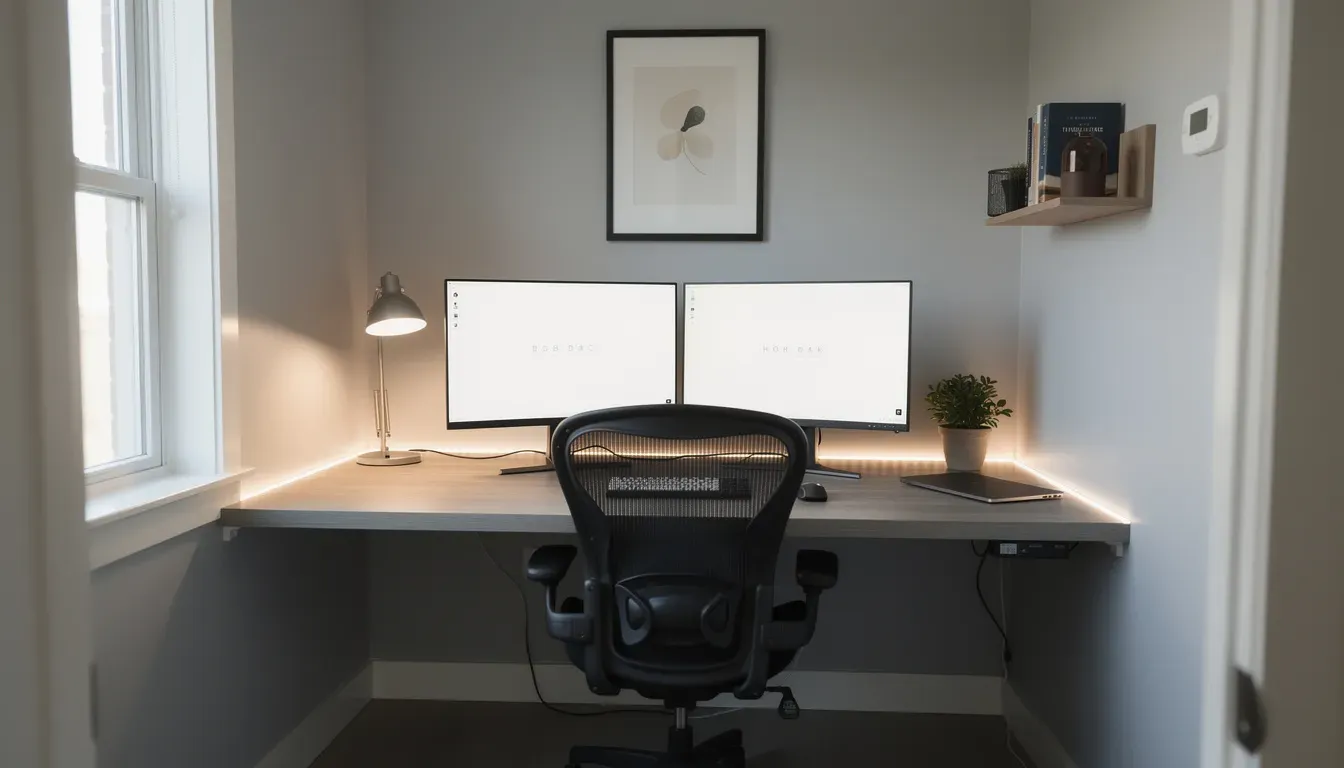
Your desk and chair form the foundation of your workspace. Getting these right creates a stable starting point for everything else.
Your desk surface should allow your forearms to rest roughly parallel to the floor when sitting. If your desk is fixed height, adjust your chair to compensate and use a footrest if needed.
Position your chair so both feet rest comfortably on the floor. Your knees should form a roughly 90-degree angle. The backrest should support the natural curve of your lower back.
Keep your keyboard and mouse at the same level and within easy reach. Wrists should remain relaxed and in a neutral position while typing.
Keep only items you use regularly on the desk surface. A clear workspace reduces distraction and makes it easier to transition between tasks.
Zone 2
How your screen is positioned and how your workspace is lit significantly affects how comfortable it feels to work there.
Position your monitor roughly an arm's length away with the top of the screen at or slightly below eye level. Tilt the screen slightly upward if needed to maintain a comfortable viewing angle.
Place your primary light source to the side rather than directly behind or in front of your screen. Soft, diffused lighting reduces contrast glare on your display.
Position your desk perpendicular to windows where possible. This allows daylight to supplement your workspace without creating reflections on your screen.
Match your screen brightness to your room lighting. A screen that is significantly brighter or dimmer than its surroundings increases visual effort over time.
Use warm-toned or reduced blue-light screen settings in the evening hours to support a natural transition out of the workday.
If using two monitors, position the primary screen directly ahead and the secondary slightly angled to the side, minimizing the need to rotate your head frequently.
Zone 3
The broader environment around your desk contributes to how settled and focused your work sessions feel.
A comfortable working temperature — typically between 18°C and 22°C — supports sustained focus. Dress in adaptable layers if temperature varies during the day.
Briefly airing out your workspace once or twice a day helps maintain air freshness and can make longer work periods feel more comfortable.
Identify your main noise sources and address them simply — closing a door, using a white noise background, or choosing quiet working hours for focused tasks.
A tidy, visually simple workspace surface tends to feel more settled. Keep decoration minimal and functional items within easy reach but neatly arranged.
All materials and practices presented here are for educational and informational purposes and are aimed at supporting general well-being. They do not constitute medical diagnosis, treatment, or advice. Before adopting any practice, particularly if you have chronic conditions, consult a qualified medical professional.
Once your workspace is arranged, explore how to structure your day with balanced focus periods, movement breaks, and transitions.